The Stock Management screen shows all the details of stock levels held in the system.
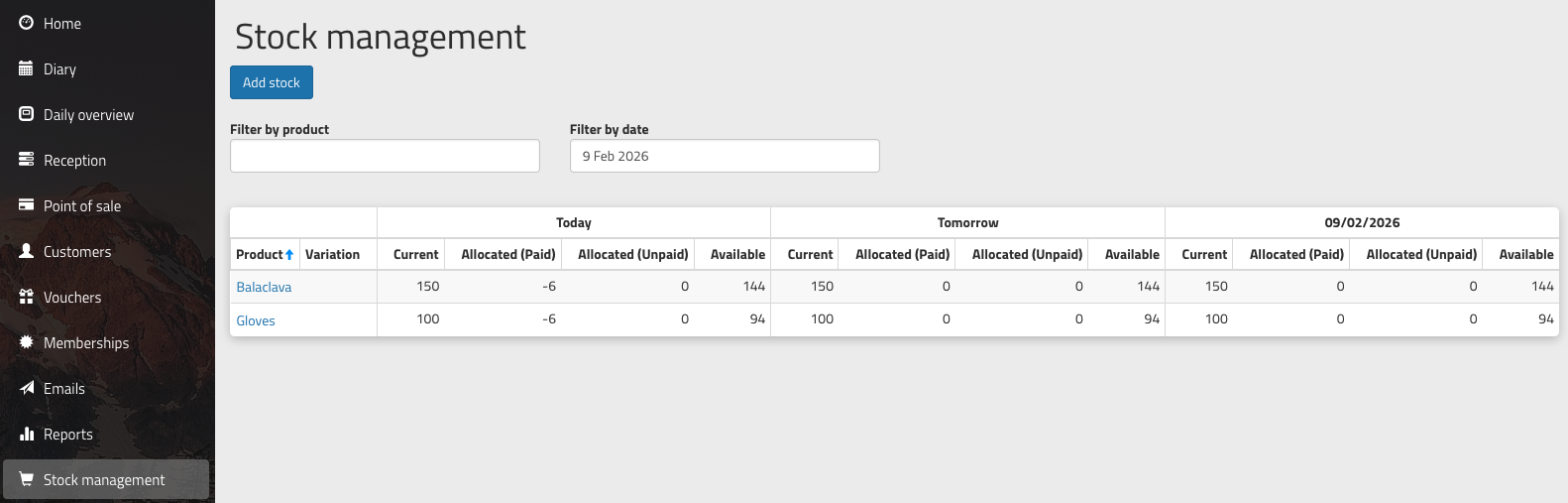
All columns are sortable, and the dates shown are 'Today', 'Tomorrow', and the date selected in the 'Filter by date' box.
The columns shown are:
- Current - the number of items that physically exist on site
- Allocated (Paid) - products that have been paid that are due to be distributed today
- Allocated (Unpaid) - products that are due to be distributed today but have not yet been paid
- Available - the number of items left available to sell
View an individual product
Click on an individual product to see more reporting about its use. The graph at the top shows stock levels over time, and below this is a table showing stock usage for today and tomorrow.
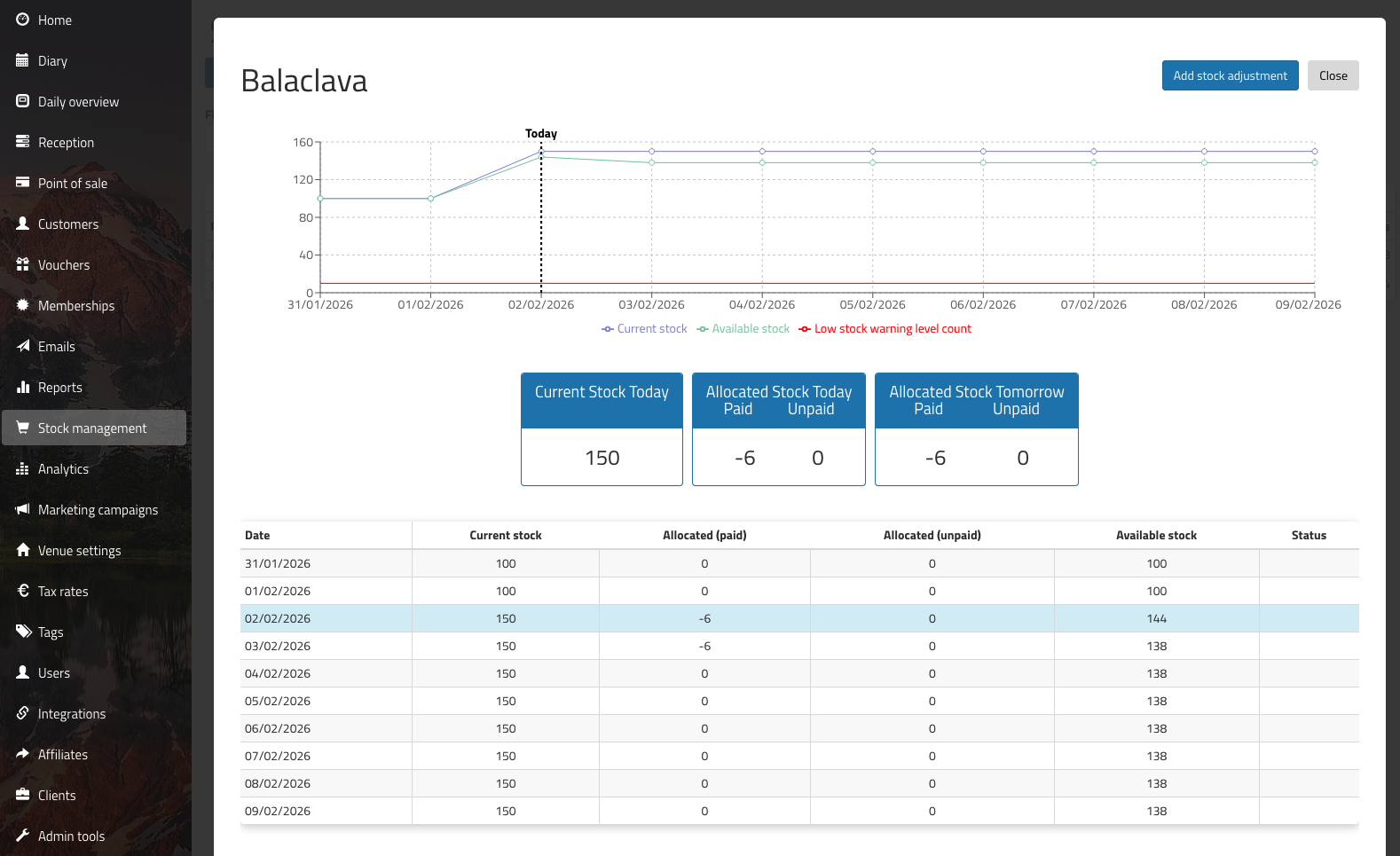
Add a stock adjustment
A stock adjustment is a correction to the stock level for a product, such as when you've carried out a stocktake and found that the number in the system is not the same as the number on the shelf. Stock can be adjusted to a higher or a lower number.
There are separate instructions for adding new stock of a product.
Was this article helpful?
That’s Great!
Thank you for your feedback
Sorry! We couldn't be helpful
Thank you for your feedback
Feedback sent
We appreciate your effort and will try to fix the article