If the Alpha Timing app (or simulator) won't start, check that your PC is not running the Window's Smart App Control. This prevents any app not downloaded from the Windows App store from running on your PC. The Alpha Timing Software is not available on the Windows App store, so will not run if this is active.
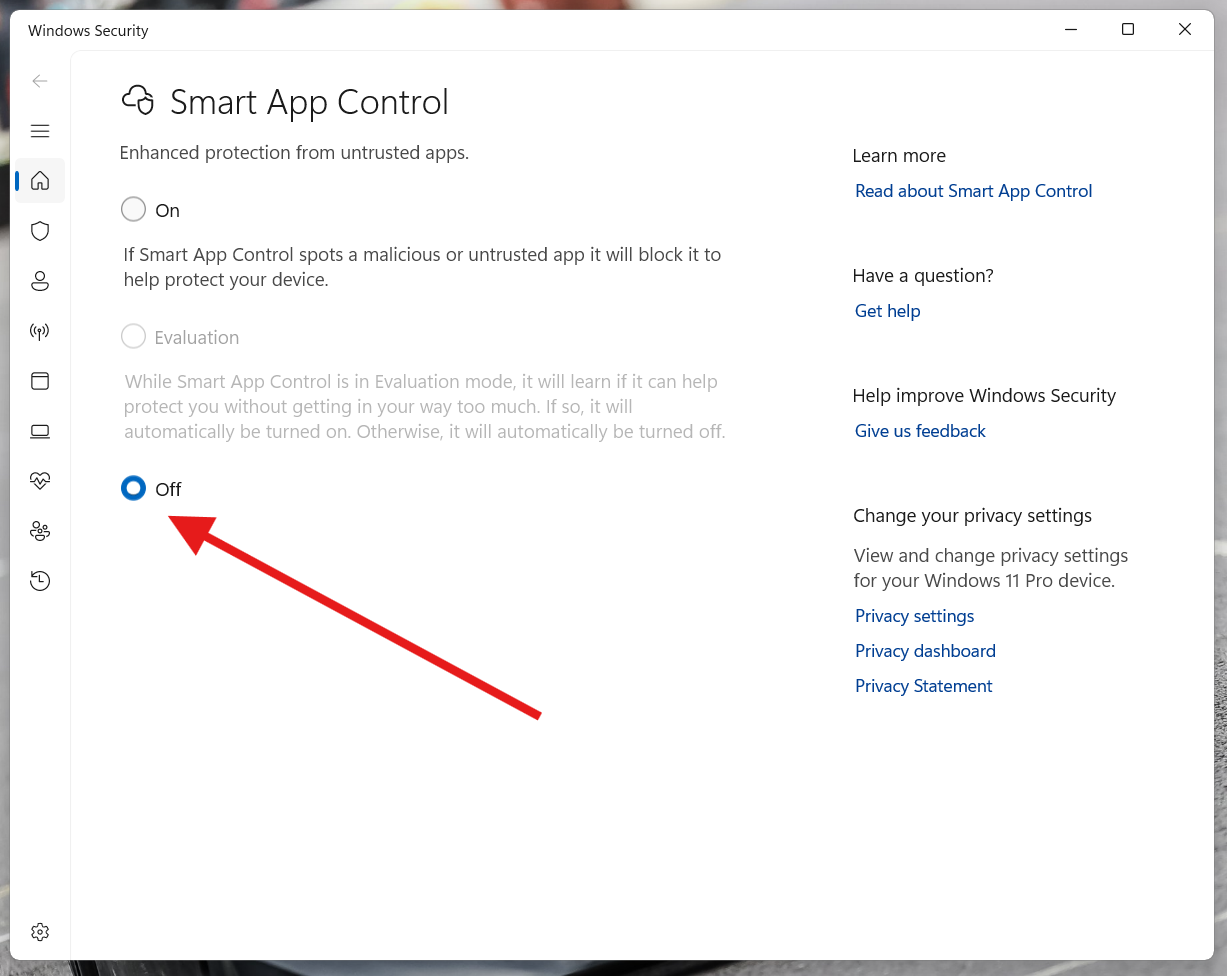
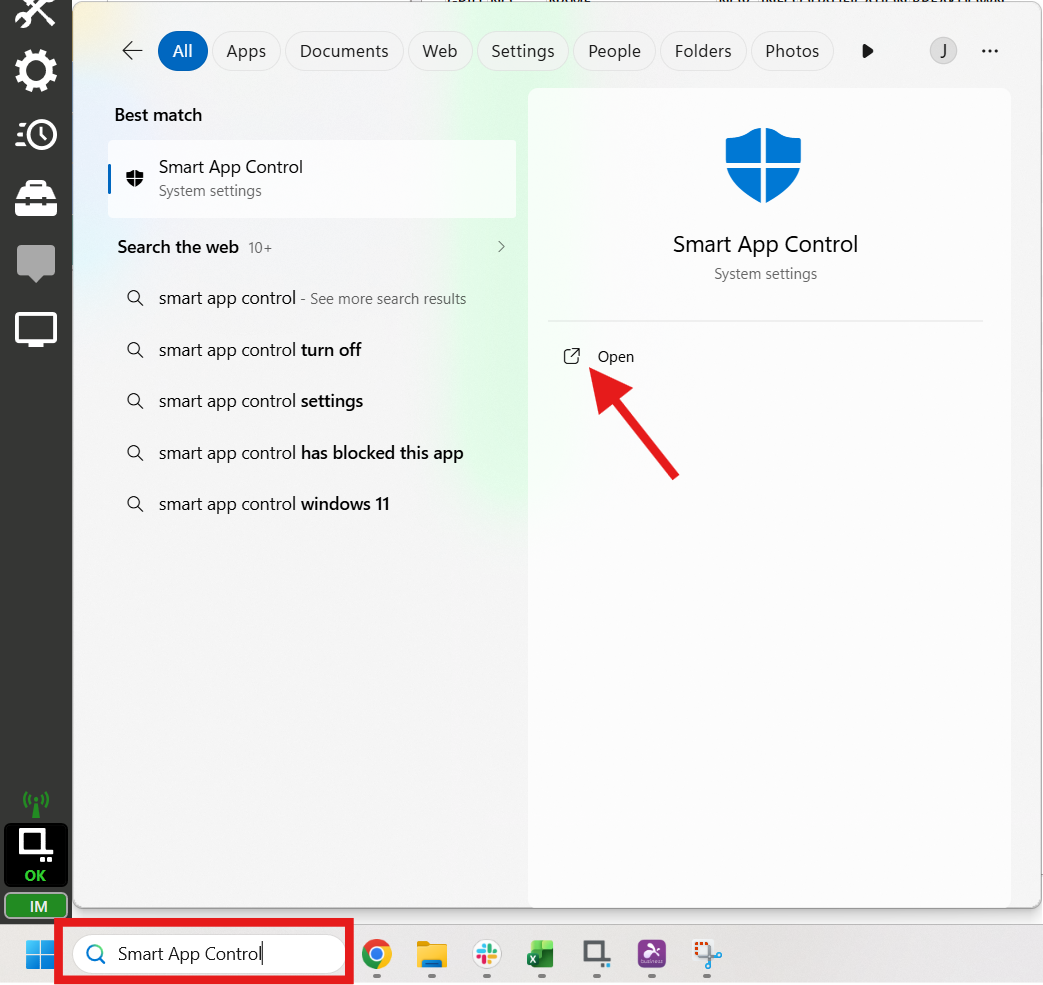
The Smart App Control can be found in Windows Security > App & Browser Control, or by typing into in the Start bar Search box.
Was this article helpful?
That’s Great!
Thank you for your feedback
Sorry! We couldn't be helpful
Thank you for your feedback
Feedback sent
We appreciate your effort and will try to fix the article