The PC Scanning app has the following settings.
| The import URL and import token will be provided to you from the Support Team. These should not be changed after installation. General Settings In the General Settings you can set whether to record the position of tyres, wet tyres or practice tyres. You can also set the warning threshold for the scanners. Championship settings If you applying restrictions for a championship, you can set the maximum number of race tyres permitted (wets and practice tyres will be excluded). You can also choose whether to only apply these restrictions to members. Barcode Formats By default the scanning app will record all barcodes as tyres. However, if you are scanning other items, you can create a specific format for these barcodes so the scanning system can recognise them, and not as them as a tyre. | 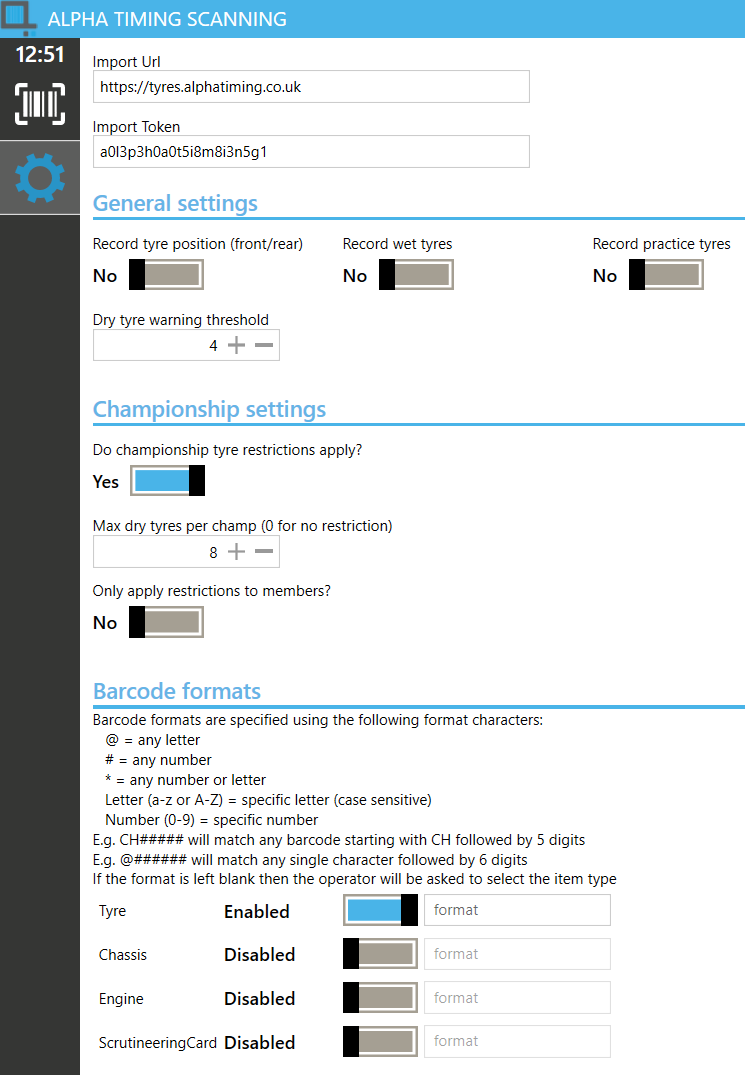 |
Was this article helpful?
That’s Great!
Thank you for your feedback
Sorry! We couldn't be helpful
Thank you for your feedback
Feedback sent
We appreciate your effort and will try to fix the article