All of your event information can be exported via the Export button. 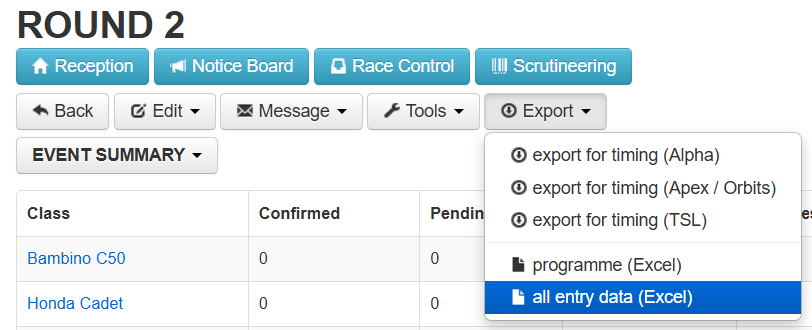
There are five types of file export:
- export for timing (Alpha)
This is the import file for the Alpha Timing PC app. This is normally transferred directly via an internet connection. However in an emergency, i.e. the Timing laptop has no internet connection, this file can be downloaded and imported into the timing app's home screen.Note: If you are using an export file, you will not be able to Re-sync Competitor data in the Timing app. The Timing app will only use the information contained in the export file.
- export for timing (Apex / Orbits)
This is a .csv file that can be used to import data to the Apex Timing and MyLaps Orbits timing systems. - export for timing (TSL)
This is an Excel file (.xlsx) that can be used to import data to the TSL Timing app. - Programme (Excel)
This is an Excel file (.xlsx) that list the competitor's name, race number, team, chassis and hometown etc. It does not contain any information for officials or timekeepers. - all entry data (Excel)
This is an Excel file (.xlsx) that contains all fields entered as part of a competitors entry.
Was this article helpful?
That’s Great!
Thank you for your feedback
Sorry! We couldn't be helpful
Thank you for your feedback
Feedback sent
We appreciate your effort and will try to fix the article