In the Entries section you can also set how many classes an individual person can enter. Leave blank if there is no limit.
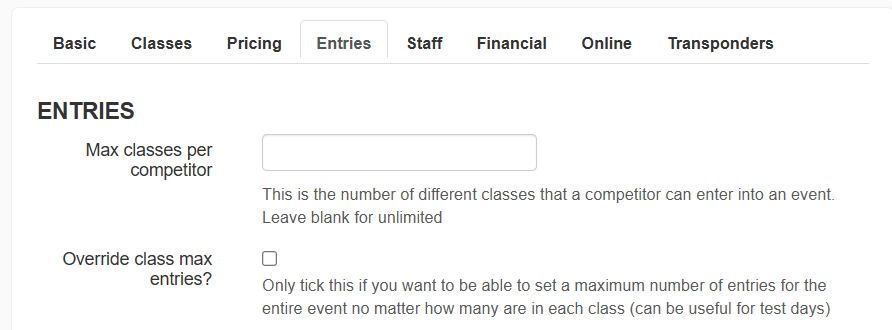
You can also restrict the number of entries for the entire event by setting the Override Class Max Entries. This is useful if you need to restrict the total number of drivers for the event or have all your classes on track at the same time e.g. Open Testing, Endurance Races etc.
You can then set some entry restrictions if required.
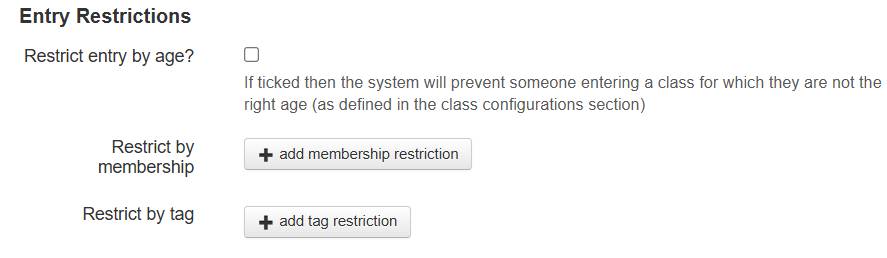
If you have set age limits on a Class you can prevent entry to a class if a competitor does not meet the age requirements.
You can also restrict the event to only those who are Club Members. See Memberships for more details on who is classed as a Club Member. Click the "+add membership restrictions" button to add one or more membership levels that can enter this event.
You can also choose whether an event is restricted to those with a tag. Click the "+add tag restrictions" button to add one or more tags that a person needs to enter this event.
Guest Entries
If your championship is configured to allow guest entries, you can select whether this event allows guests to enter by ticking the respective box.

Race Numbers
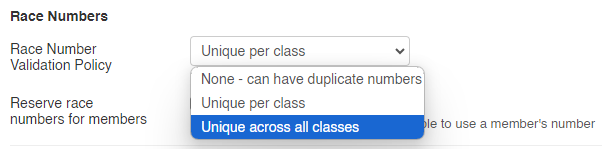
In this section you can set what race number policy to apply to the event. FOr example if you're running an endurance event where all classes are on track at the same time, you may want to have all numbers unique across all classes.
The additional Event Settings sections are listed below. Click on them to learn more:
Was this article helpful?
That’s Great!
Thank you for your feedback
Sorry! We couldn't be helpful
Thank you for your feedback
Feedback sent
We appreciate your effort and will try to fix the article