Class Configuration
The class configuration shows which Season the Event is in, which Classes are able to enter the event, which entry form to use and the maximum number of entries for each class.
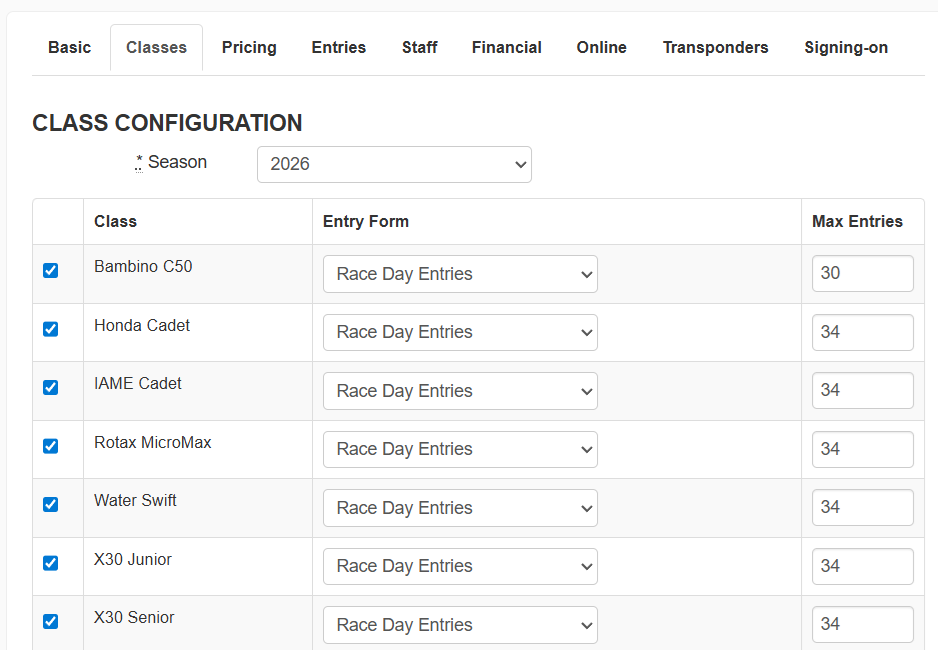
Tick the classes you want to add to this event and select the relevant entry form for that class (each class can have their own entry form made in the form builder if they require different entry information i.e. individual entries versus team entries.) Each class can have its own maximum number of entries.
The additional Event Settings sections are listed below. Click on them to learn more:
Was this article helpful?
That’s Great!
Thank you for your feedback
Sorry! We couldn't be helpful
Thank you for your feedback
Feedback sent
We appreciate your effort and will try to fix the article