The entry price for an event is configured with pricing tables. An event can have multiple tables, which apply to different classes, conditions or dates.
Each event has a default pricing table which is the price used if no other pricing tables are applicable.
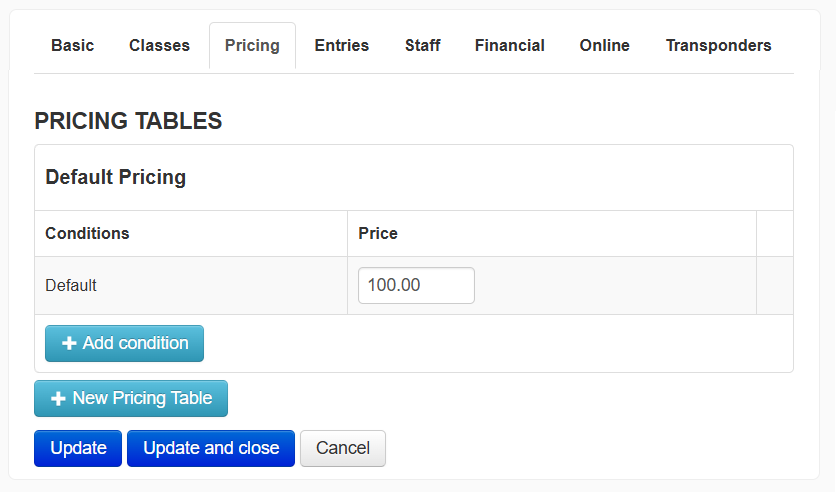
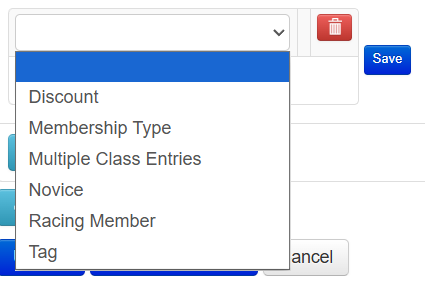
Each table can have additional conditions applied to them select from one of the options in the drop down. These options include any discounts you have, those entering multiple classes, a competitor's novice status or tag. You can also select a specific Membership type or select "Racing Member" to include all memberships that are marked as Racing Members (see the Memberships article for more).
In addition to the default table, you can create another Pricing table that can be set to only apply to a certain class or classes and/or only apply during a specific time frame.
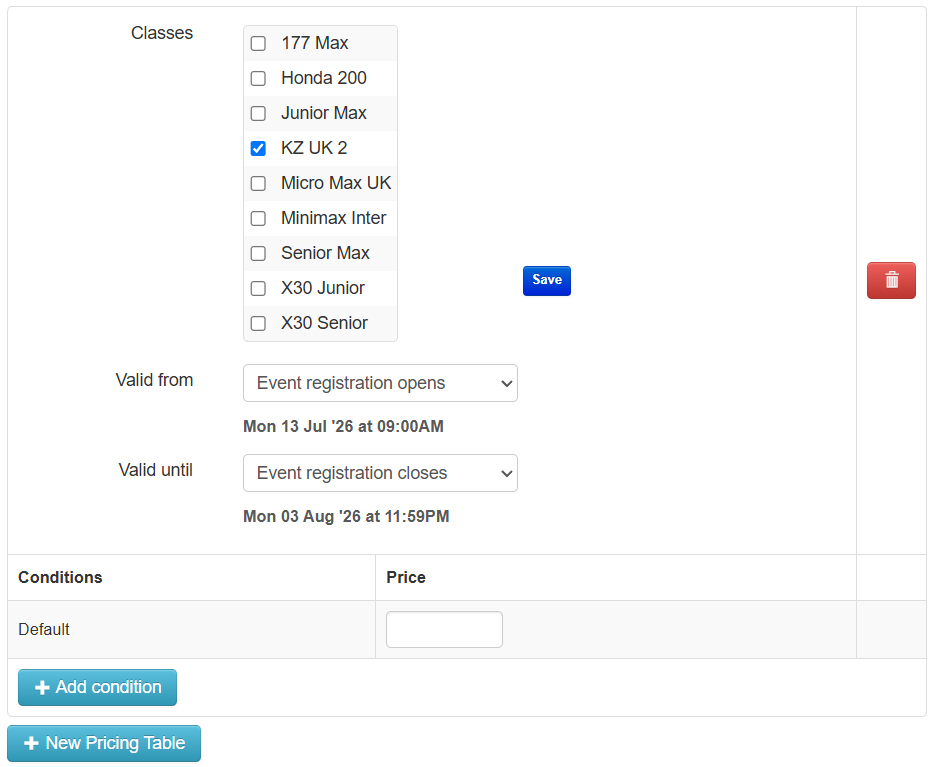 Each table can also have the same or different conditions applied to as the default table. If none of the conditions are matched, the default price will be used. If an entry matches multiple conditions, the entry price will be the cheapest of those conditions.
Once configured, click the blue Update button at the bottom of the page to save your settings.
The additional Event Settings sections are listed below. Click on them to learn more:
- Basic
- Classes
- Entries
- Event Staff
- Financial
- Online
- Products
- Transponders
- Signing-on/Waiver Settings
- Scrutineering/Pre-tech
- Briefing Notes
- Pit Bays
- Tickets
Was this article helpful?
That’s Great!
Thank you for your feedback
Sorry! We couldn't be helpful
Thank you for your feedback
Feedback sent
We appreciate your effort and will try to fix the article